
MBOX Converter Software: Convert MBOX Files into Different Formats Easily
Email archiving is essential in corporate and personal lives. These file formats are used by default in several email apps such as Mozilla Thunderbird, Apple Mail, and other email management tools. The archive file may include the body, attachments, sender details, date, and other message information.
Yet, viewing the data stored in MBOX files in various other email clients is sometimes not always possible. MBOX users need to be able to exchange emails with others, archive important emails, take backup or have access to an email mailbox in email clients that do not support MBOX files.
This is where MBOX Converter Software comes in. It offers an easy way to convert MBOX files to various supported file formats and also facilitates easier access, management, and storage of email data.
What Is MBOX Converter Software?
MBOX Converter Software is utility program to change email data from MBOX file to different file formats. It allows to convert mailbox information of MBOX file to different other file formats.
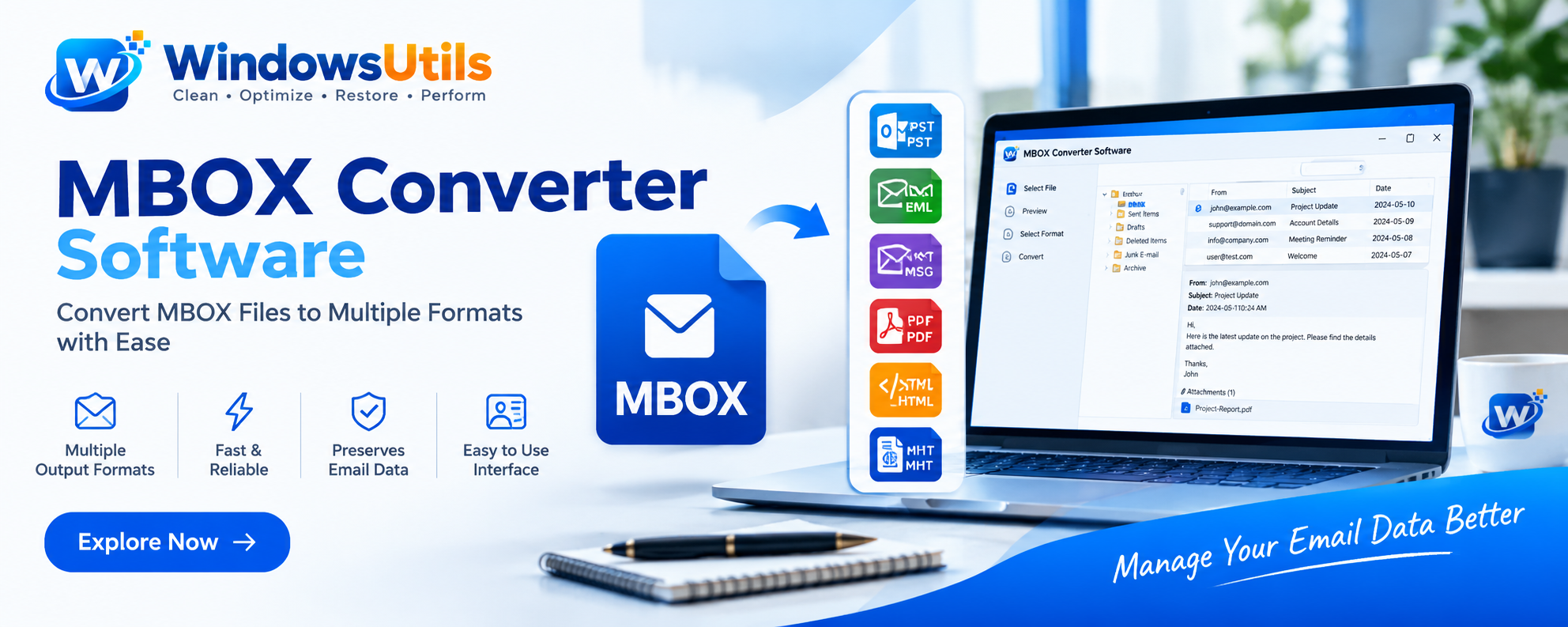
It may be possible to convert the email files to formats like PST, EML, MSG, PDF, HTML, and other file types if the supporting options are available.
Managing each email message is a tedious task and so an MBOX conversion tool will ease this task by providing users with the required assistance to manage the mailbox data.
Why Do Users Need to Convert MBOX Files?
There are a few cases where users need to convert MBOX file.
- Access Emails in Different Applications
The file is compatible with a number of other applications. MBOX email files can be easily exported into other formats, which allows them to be opened in other supported email applications.
- Create Email Backups
Such significant emails often include business information, personal communication, and even attachments. By exporting mailbox data into an appropriate format, users can generate extra copies for archival and backup purposes.
- Share Email Messages Easily
In certain circumstances, certain file formats are preferable for easy sharing. For example, you may wish to be able to share email chat conversations in PDF files rather than asking the user to open an MBOX mailbox.
- Improve Email Data Management
Record system files are not limited to other software. Mailbox files can also be converted to a different format to make handling and organization a little bit easier.
- Preserve Important Email Information
When converting mail, users often want to preserve the following information: sender and recipient info, subject line, date, message content, and attachments. Selecting the right software and the right export options can provide a way to preserve that information.
Typical Formats for MBOX File Conversion
MBOX Converter Software you are using supports the file format you need to convert to.
MBOX to PST: Convenient for users desiring to view MBOX email data through Outlook in PST files.
MBOX to EML – allows individual mail items to be saved in EML format to suit supported email applications.
For those users wanting to convert each email message to individual Outlook MSG files.
MBOX to PDF: assist you to create portable email documents that you share, and archive, print, or move from the cloud.
Allows email contents available in a web-based format.
Understand what output formats are available. Users may be surprised to learn that certain conversion options aren’t compatible with particular output formats.
Features to Consider When Choosing MBOX Converter Software
Find the right conversion tool and migration of emails becomes easier. Here are a few features to look for:
- It needs to provide appropriate export formats as per your demand.
- Beginners can perform the conversion tasks easily through an interface that is simple to operate.
- Email Preview: Users can view the mailbox preview message before converting mailboxes to distinguish the emails they require.
- Attachment Support: The application should offer suitable choices to manage attachments in the email.
- Folder Structure: Keeping the organization of mailbox folders intact can assist in easier managing of converted data.
- The conversion should retain critical information within emails and message bodies.
- Some other factors like: Compatibility: Make sure this software is compatible with your Windows Operating System and MBOX file.
How to Convert MBOX Files Using MBOX Converter Software
The standard procedure for a conversion is generally just a few simple steps. However, that may alter depending on the software.
Step 1: Install the Software
Get and run the MBOX Converter Software application on your Windows system.
Step 2: Add MBOX Files
Open the application and choose the MBOX files or Mailbox Data to Convert.
Step 3: View Email Data
If preview is available, you will see the messages and any associated data, such as file information.
Step 4: Pick an output format
Select the output that you want to export to PST, EML, MSG, PDF or HTML.
Step 5: Start the Conversion
Choose your destination location and then initiate the conversion. When conversion is done, then verify the exported files with a supported application.
Why Choose a Dedicated MBOX Conversion Tool?
Clicking through emails in a manual way can be a time-consuming task, particularly with users that manage large mailbox files or which require many formats of output. A dedicated MBOX conversion tool can bring all of these options into one location.
Supports email data conversion for migration, sharing, backup and archiving. It is also useful for converting email data to prepare it for migration, sharing, backup and archiving. Always make sure which formats and features are supported before choosing an email converter.
Conclusion
MBOX files is useful, but it is not always easy to access that data within various applications and formats. Conversion solution MBOX Converter Software provides a handy tool for converting mailbox data to other supported formats.
Think about the export formats, preview mode, attachment management, folder handling, and the supported version before sticking to a solution. The right choice of MBOX file converter can make the entire process simple and help you keep a tab on your valuable email data.